Introduction
Blockchain interactions require communication with a Peer-to-Peer (P2P) network to validate transactions and generate new blocks. Polkadot, like other blockchains, relies on a network of nodes that powers its consensus mechanism. 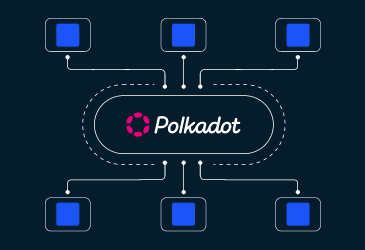SourceSource): How to set up and run a full node on Polkadot? To communicate between the decentralized application and a network node in Polkadot is through a JSON RPC protocol. Typically, there are 2 main ways to do this:
- User-Controlled Nodes: The Dapp (decentralized application) connects to a node client which the users have installed and run on their machine. These nodes are extremely secure because the users fully control it, but to install and maintain them are quietly complicated as they must be active 24/7 and connect with network rapidly.
- Publicly-Accessible Nodes: There are several third-parties or platforms providing a publicly-accessible node client. These nodes are available every time when users need so they are more convenient to interact. However, their drawbacks are insecure and centralized because they are controlled by their owner. Substrate Connect, on the other hand, is introduced for decentralized application to minimally connect to Polkadot network instead of utilizing a centralized RPC node but still securely.
Enter Substrate Connect: A Minimalistic, Decentralized Solution
Substrate Connect offers a secure and decentralized alternative to centralized RPC nodes. As a JavaScript library and browser extension, it enables developers to build light clients for Substrate chains directly in a Dapp, using PolkadotJS API (a collection of JavaScript tools, utilities and libraries for interacting with the Polkadot network). With Substrate Connect, there’s no need for a centralized RPC node; it operates like a bridge, running Smoldot** **in the browser extension. This replaces the now-deprecated ~~Substrate~~ and offers a robust alternative for Substrate -based chains.
Why Use Substrate Connect?
Polkadot is designed with decentralization at its core, following the Blockchain Trilemma ( Decentralization , Security , and Scalability ). However, most user interfaces connect to the network through centralized nodes, making decentralization challenging. Substrate Connect provides a lightweight, decentralized option for DApps to interact securely with Polkadot, lowering complexity for end-users.
Integrating the Light Client!
This guide walks you through integrating a Light Client with Smoldot** , Substrate Connect **and Dedot (an alternative to PolkadotJS API ) in a Voting Escrow application. Our repository is using Next.Js framework to build the User-Interface Application for Decentralized Application: https://github.com/thai-cong-nguyen/Voting-Escrow-Light-Client
Prepare the Chain Specification JSON
Firstly, we must prepare the chain specification json file for the Relaychain or Parachain. We can find the chain specification of our expected network in Substrate Connect repository. https://github.com/paritytech/substrate-connect/tree/main/packages/connect-known-chains/specs
Install Dependencies
Install necessary packages such as smoldot , @dedot/chaintypes and a compatible version of Dedot : npm install smoldot dedot@0.5.0 @dedot/chaintypes
Implement Substrate Connect Provider and Client
Set up the Substrate Connect Provider and Client in a custom hook for use in your Next.js or React project: https://github.com/thai-cong-nguyen/Voting-Escrow-Light-Client/blob/main/src/hooks/useApi.ts 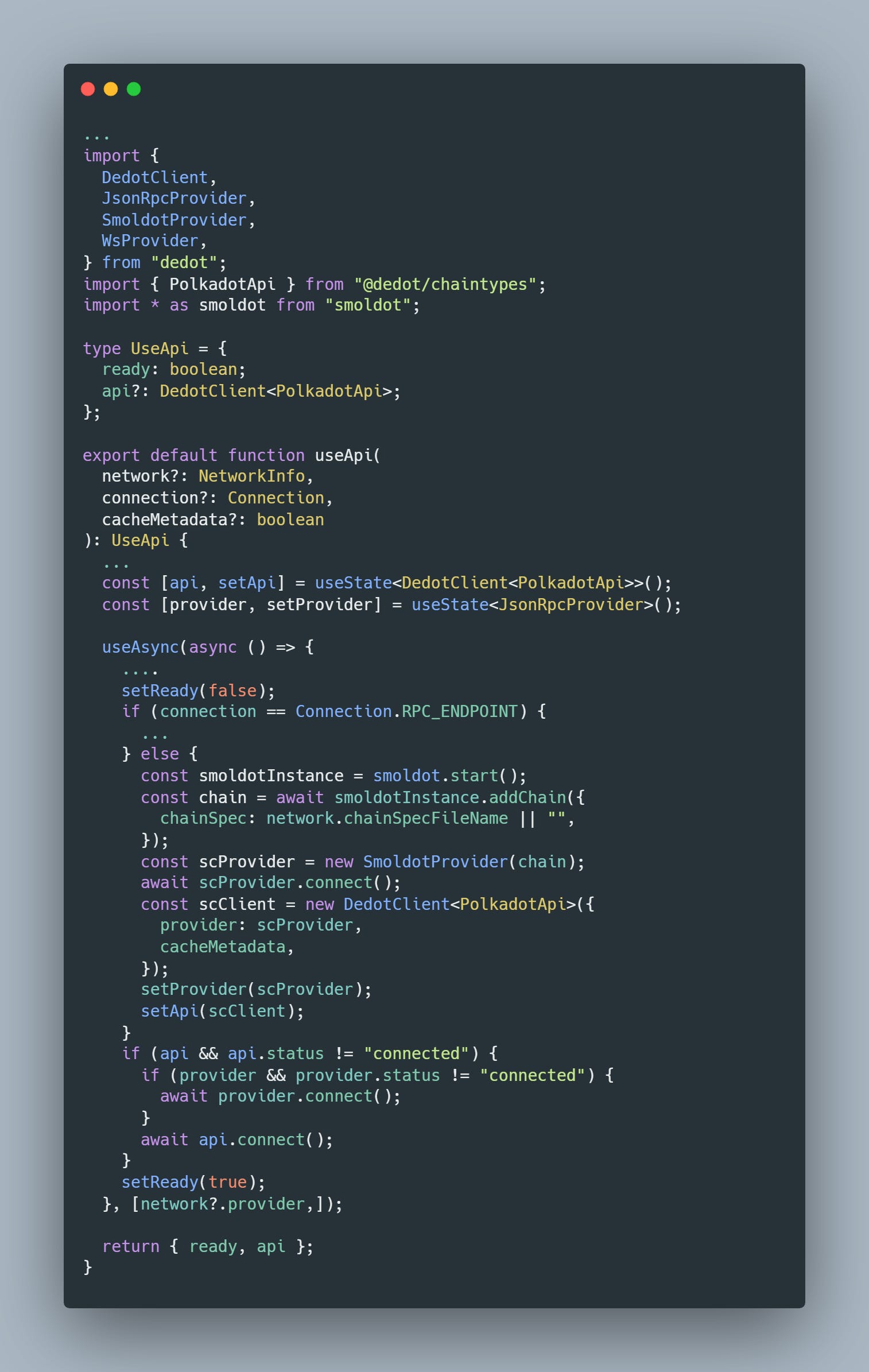
Configure API Context for Project Layout
Integrate the Light Client provider across your application with an API Context setup: https://github.com/thai-cong-nguyen/Voting-Escrow-Light-Client/blob/main/src/providers/ApiProvider.tsx 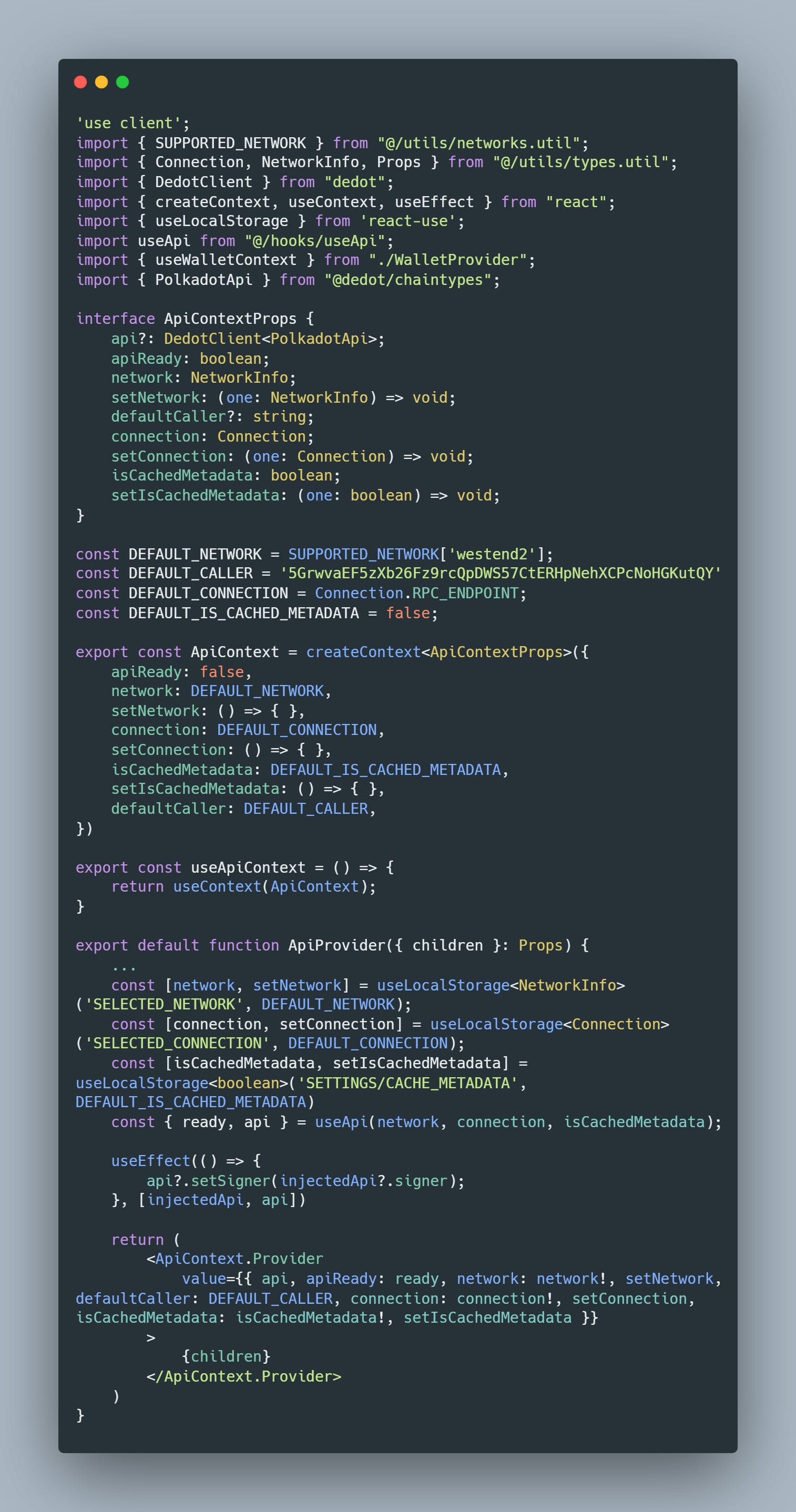 https://github.com/thai-cong-nguyen/Voting-Escrow-Light-Client/tree/main/src/app 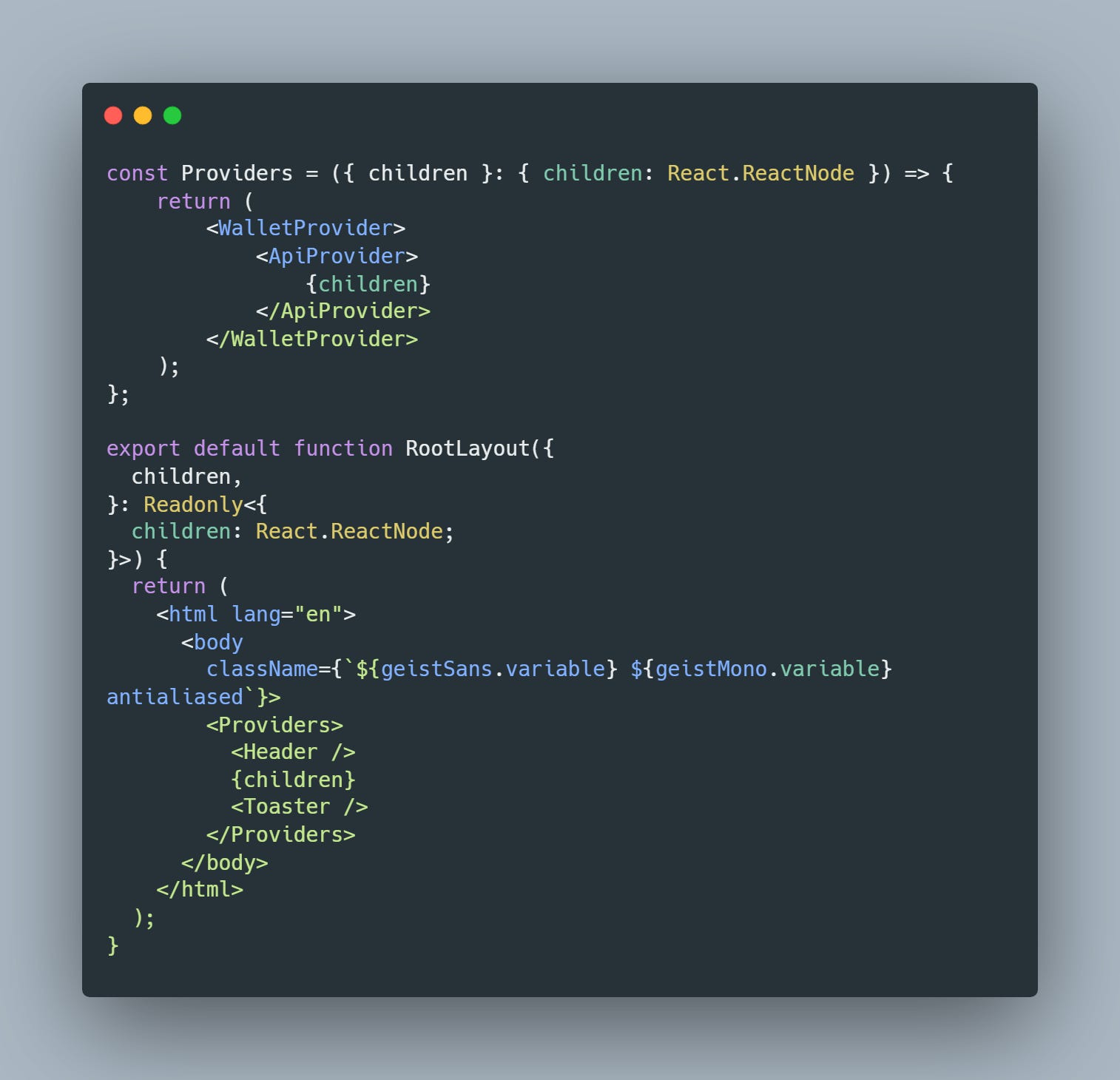
Test the Light Client Connection
Run our application with: npm run dev If successful, you’ll see confirmation in the browser console 🎉. This confirms your Light Client is now operational within your Dapp!  In this context, we used the Edge Browser to access to our application.
Interact with Smart Contracts
Using the “api” client from the API Context, interact with the Relaychain or Parachain via Dedot SDK or PolkadotJS API to call smart contracts.
Challenges 💪🏻
- The Smoldot SDK supports WASM-compatible browsers, so ensure your Dapp runs on a browser optimized for WASM.
References
- Example Staking UI Repository - Author: CocDap
- Introducing Dedot: A delightful JavaScript client for Polkadot& Substrate-based blockchains
- Polkadot Provider API: a common interface for building decentralized applications
- Smoldot updates threads
- smol-dot/smoldot - Lightweight client for Substrate-based chains
- Introducing Substrate Connect: Browser-Based Light Clients for Connecting to Substrate Chains | Parity Technologies
About the Author 👋🏻
Bio : Harry Riddle, an undergraduate Web3 Developer focused on Blockchain and AI, is a member of the OpenGuild community in Vietnam. Contact info :
- X/Twitter : 0xHarryNguyenVN
- Telegram : @HarryRiddle
- Discord : @harrynguyen2107